




Like us on facebook and stay updated! Click here


Featured Video

FACEBOOK HACKING

learn to hack facebook accounts.and learn facebook hidden tips and tricks.

GOOGLE ACCOUNT HACKING

Learn to hack G mail,orkut or any google accounts and learn hidden google tricks.

COMPUTER TIPS AND TRICKS

Learn about Computers and how to hack Computer.hidden and funny Computer tips and tricks.

LEARN ALL ABOUT COMPUTER VIRUS

learn to make virus and how virus works.learn how to prevent virus attacks.

LEARN REAL HACKING FROM COOLGURU007

Learn the Real Hacking tricks and tips for free from CoolGuru007.

Showing posts with label MOBILE TRICKS. Show all posts

Thursday, 17 November 2011

How to chat on java mobile ?


hi,,,, today i will write about how to chat on mobile like instant messenger !

by using this applications you can send or receive files and photographs , you can send buzz etc. on the mob.
you can live chat on face book ! 
here are two best application according to mine.
you may love that application
1.ebuddy.
if you wanted to use this application you have to first install this application on mob. and register on this site . it's very simple after doing this job, now you have to sing in to your social networking web site or any other account means to say you have to link other account to this ebuddy account . i love this application ! here are some screen shots :


Download

2. Nimbuzz :
Now this app. is also an  interesting  app because you may now that yahoo messenger has many room chat
like Gujarat global chat, India global chat , Australia global chat etc...
as same as nimbuzz is having privet and global chat rooms .
as same as ebuddy you can also chat with facebook friends on nimbuzz and if two friends has a nimbuzz account you can call each other ! for free ! but limited minutes . here are some snaps of it :


Download

3. Migg33 : 
 this app is also good . in migg33 you can not just call migg33 member but you can call also out side friends in this case migg33 server calls you and connects to your requested mobile number !   
mig33 is the largest global community that brings you the power of the internet right to your mobile phone.Chat with millions of mig33 users .Keep friends in the loop with new status updates.Make cheap calls to any phone, anywhere, anytime!.SMS friends instantly with a cheap flat-rate.Personalize with cool themes, wallpapers and ringtones.Express yourself with tons of different emoticon packs.Share photos directly with all your friends and save them online.Free credits for inviting friends to join. here are some snaps of it :


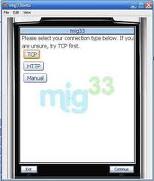
Download 


4. Skype:
yaah..... skype we all now about it . it's a free voip site which is providing totally free call to skype 2 skype and providing very cheap price call to mobile number's  it also providing video call.
this software has a little limitation on java based mobile . after installing this app. you can directly call mobile to pc ! skype to skype call ! chat is working most of nokia mobile so enjoy this all apps... here are some snaps of it :


  Download
 
 if you like my posts suggests to you friends . or became a fan on face book !     

Turn Your Mobile into A wireless webcam !!


,now you can use your mobile phone as a web cam !!  it can now serve streaming video on pc !!


so, to set your java mobile as web cam you will need a  Bluetooth device buy it if you don't have,Price is around 100 Rs so buy it if you are a Desktop user .okay so now after installing Bluetooth hardware and Software . download this software from Here 
now you will need another software for your s60 or java Enabled mobile . get it from here 
download that .jar file .and install it on your cell phone . now open that software on mobile and connect it with your pc Bluetooth device . don't forget to run smart cam first . n you will see streaming  video from your mobile cam !! 


but unfortunately it's works only on S60 series phone :( not on s40. Google it if you don't know what is s60 or S40 .
So Enjoy...... N Stay Connected. :)

Monday, 31 October 2011

Nokia phone unlock codes for free

Nokia phone unlock codes for free. There are different nokia unlock codes for different nokia models like nokia 6288, n95, Nokia 6682, 7270, 6280, 1600, Nokia 6130. Even there are two types of mobile unlocking service provider unlocking – sim unlock. You can also get mobile unlocking software that will generate codes for unlocking
Free Nokia Cell Phone Unlock Codes

1) Unlock Nokia 6600 (Orange, UK)
#pw+399466210777312+1#
#pw+719950237732007+5#
2) Unlock Nokia 3390 (Fido, Canada)
#pw+6595657252+1# or
#pw+4474052474+1#
3) Unlock Nokia 6102 (Cingular, USA)
#pw+939652056653040+1#
4) Unlock Nokia 6820b (AT&T, USA)
#pw+895421713251412+1#
5) Unlock Nokia 6102b (Cingular, USA)
#pw+324556243142742+1#
6) Unlock Nokia 6010 (T-Mobile, USA)
#pw+748900573631603+1#
7) Unlock Nokia 3120 (Vodafone, Spain)
#pw+008923325642375+7#
8) Unlock Nokia 6101 (T-Mobile, USA)
#pw+110464135761655+1#
9) Unlock Nokia 6230 (Vodafone, UK)
#pw+737190152533105+7#
10) Unlock Nokia 7600 (3 Network, UK)
#pw+448917267516205+1#

Samsung cellular phone unlock

Samsung cellular phone Unlock CODE

Samsung cellular phone SGH-600 : *2767*3855#

samsung S100, S300, V200 : *2767*7822573738#

---A300, A800 : *2767*637#

---X100 : *2767*688#

samsung cellphone sgh-600 mobiles : *2767*3855#

s100,s300,v200 : *2767*7822573738#

s105 mobiles : *2767*7822573738#

After the phone reboots enter the following code : #0111*00000000#

Personalisation cancelled should be displayed. cellular phone is now unlocked

a800,a300 mobiles : *2767*637#

t100 : *2767*media#
*2767*full#
*2767*cust#
*2767*wap#
*2767*stackreset


for example stackreset = 7822573738

e700 : *2767*688#


Here some more codes for samsung T100

*#8999*228# -> Battery status (capacity, voltage, temperature)
*#8999*246# -> Program status for samsung mobile phones
*#8999*289# -> Change Alarm Buzzer Frequency
*#8999*324# -> Debug screens of cellular phone
*#8999*364# -> Watchdog
*#8999*377# -> EEPROM Error Stack
*#8999*427# -> Trace Watchdog
*#8999*523# -> Change LCD contrast
*#8999*544# -> Jig detect
*#8999*636# -> Memory status for samsung phone
*#8999*746# -> SIM File Size
*#8999*778# -> SIM Service Table
*#8999*785# -> RTK (Run Time Kernel) errors
*#8999*786# -> Run, Last UP, Last DOWN
*#8999*837# -> Software Version of new cellular phone
*#8999*842# -> Test Vibrator
*#8999*862# -> Vocoder Reg
*#8999*872# -> Diag
*#8999*947# -> Reset On Fatal Error
*#8999*999# -> Last/Chk
*#8999*9266# -> Yann debug screen (=Debug Screens?)
*#8999*9999# -> Software version
*0001*s*f*t# -> Changes serial parameters (s=?, f=0,1, t=0,1) (incomplete)
*0002*?# -> unknown
*0003*?# -> unknown


all samsung s300 and v200 and s500 : Free unlocking by codes

samsung mobile phone s300 and v200 :

*2767*63342# and press green button
*2767*3855# and press green button of samsung cellular phone
*2767*2878# and press green button
*2767*927# and press green button
*2767*7822573738# press button of samsung cellphone


samsung mobile phone s500 : *2767*688#

Ericsson Siemens Unlock Codes

Ericsson

Ericson T65

*#05# Fake Insert puk screen Press no to exit
Ericsson T20
MENU tecnichal Info
[type] >*<<*<* Displays : 1] Info service
1] Info SW 2] Info hardware 3] SIMlock 4]setup

2] Service setup1] Contrast
3]Service Test
1] Display 2]Leds 3]Keyboard 4] ringer 5] Vibration 6]Headset 7] Microphone
8]Clock
4] Names List
MENU info
[Type] >*<<**<>EricssonT28
>*<<*<* menu Tecnichal info SW vers. and name list >*<<**<> are the right and left.

menu's keys Ericsson T18s/T10/A1018s

>*<<*<* software CXC125065 Internal product code PRG 970715 1515 Software version and SW rev.<* CLR <><**>*<<*<*> Displays texts and messages in the phone It will be displayed " TEXT " then push YES <> are the right and left menu's keys !!!><** Control /Enable SIM Lock!!!. Ericsson R310 Technical Info :
>*<<*<*Options :1) service Info info Software Simlock Configuration 2) Service Test Display Led/Illumination Keyboard ringer Vibration Headset Microphone Clock 3)Text's name List Info personal : >*<<**< color="#3333ff">
Siemens :-

Siemens C25

IMEI number: * # 0 6 #
Software version: put off sim card and enter: : * # 0 6 # and press LONG KEY Bonus screen: in phone booke: + 1 2 0 2 2 2 4 3 1 2 1

Bosch:-

IMEI Number: * # 0 6 #
Dafault Language: * # 0 0 0 0 #
Net Monitor: * # 3 2 6 2 2 5 5 * 8 3 7 8 #

Alcatel:-
IMEI number: * # 0 6 #
Software version: * # 0 6 #
Net Monitor: 0 0 0 0 0 0 *

SAMSUNG FREE UNLOCK TRICK

To unlock samsung mobile free follow the procedures below.you can unlock all samsung mobiles like samsung sgh-600,unlock samsung s100,s300,v200,a300,a800,x100 etc.Samsung cellular phone Unlock CODE
Samsung cellular phone unlock SGH-600 : *2767*3855#
unlock samsung S100, S300, V200 : *2767*7822573738#
—A300, A800 : *2767*637#
—X100 : *2767*688#
unlock samsung cellphone sgh-600 mobiles : *2767*3855#
s100,s300,v200 : *2767*7822573738#
s105 mobiles : *2767*7822573738#
After the phone reboots enter the following unlock code : #0111*00000000#
Personalisation cancelled should be displayed. cellular phone is now unlocked free.
a800,a300 mobiles : *2767*637#
t100 : *2767*media#
*2767*full#
*2767*cust#
*2767*wap#
*2767*stackreset
for example stackreset = 7822573738
e700 : *2767*688#
Here some more secret codes for samsung T100 mobile
*#8999*228# -> Battery status (capacity, voltage, temperature)
*#8999*246# -> Program status for samsung mobile phones
*#8999*289# -> Change Alarm Buzzer Frequency
*#8999*324# -> Debug screens of cellular phone
*#8999*364# -> Watchdog
*#8999*377# -> EEPROM Error Stack
*#8999*427# -> Trace Watchdog
*#8999*523# -> Change LCD contrast
*#8999*544# -> Jig detect
*#8999*636# -> Memory status for samsung phone
*#8999*746# -> SIM File Size
*#8999*778# -> SIM Service Table
*#8999*785# -> RTK (Run Time Kernel) errors
*#8999*786# -> Run, Last UP, Last DOWN
*#8999*837# -> Software Version of new cellular phone
*#8999*842# -> Test Vibrator
*#8999*862# -> Vocoder Reg
*#8999*872# -> Diag
*#8999*947# -> Reset On Fatal Error
*#8999*999# -> Last/Chk
*#8999*9266# -> Yann debug screen (=Debug Screens?)
*#8999*9999# -> Software version
*0001*s*f*t# -> Changes serial parameters (s=?, f=0,1, t=0,1) (incomplete)
*0002*?# -> unknown
*0003*?# -> unknown
all samsung s300 and v200 and s500 : Free unlocking by codes
samsung mobile phone s300 and v200 :
*2767*63342# and press green button
*2767*3855# and press green button of samsung cellular phone
*2767*2878# and press green button
*2767*927# and press green button
*2767*7822573738# press button of samsung cellphone
samsung mobile phone s500 : *2767*688#

Saturday, 1 October 2011

how to rotate your nokia mobile phone screen

If you want to rotate your nokia mobile phone from landscape view to portrait view an also from landscape view to portrait view means just use the following codes in your nokia mobile phone...

Here is the code...

*#5511#

*#5512#

*#5513#

*#5514#

WORKING IN NOKIA MOBILE PHONES SUCH AS 1600, 1650, 1200, 1208 ...

SECRET MOBILE PHONE CODES

SECRET CODE 4 all GSM mobiles-
activate call waiting:*43#
deactivate call waiting:#43#
display private no:*#30#
IMEI:*#06#
check call divert:*#61

secret codes 4 nokia CDMA:
Name Set: *3001#12345#
Software Version: *#837#
Software Version: *#9999#
CDMA Mode : *#7738#

china mobile secret codes

Engineering Mode: *#110*01#
factory Mode: *#987#
Restore Factory Settings: *#987*99#
Check Software Version: *#900# OR *#800#
Default User Codes: 1122, 3344, 1234, 5678
Change LCD Contrast: *#369#
To Enable COM Port: *#110*01# -> Device -> Set UART -> PS Config -> UART1/115200
Codes to Change Screen Language:
* *#0000# + Send : Set Default Language
* *#0007# + Send : Set Language to Russian
* *#0033# + Send : Set Language to French
* *#0034# + Send : Set Language to Spanish
* *#0039# + Send : Set Language to Italian
* *#0044# + Send : Set Language to English
* *#0049# + Send : Set Language to German
* *#0066# + Send : Set Language to Thai
* *#0084# + Send : Set Language to Vietnamese
* *#0966# + Send : Set Language to Arabic

samsung mobile secret codes

*#06# Shows IMEI number

*#9999# Show software version

*#0001# Display RS232 serial communication parameter setup

*#8999*228# Display battery capacity and temperature / voltage

*#8999*523# Adjust display contrast

*#8999*636# Display storage capacity

*#8999*778# Display SIM card information

*#8999*324# The network checkout (engineering model)

*#8999*289# Ringtone test

*#8999*364# Display Watchdog state

*#8999*427# WATCHDOG signal route setup

*#8999*842# Vibrate test

*#8999*782# Show date and alarm clock

*#8999*246# Show the memory capacity

*#8999*786# The display during warning

*#8999*837# Samsung hardware version

*#8999*377# Software error LOG (wrong display of EEPROM)

*#8999*638# Show network information

Top secret of Sony Ericsson mobile phones

These codes will work on most of the latest Sony Ericsson mobile sets.  You can display the hidden information of mobile sets and then troubleshoot the routine problems using these codes.
Sony Ericsson Useful Secret Codes
Code                                        Action 
0#                                  To display the last dial number
*#06#                             To display the IMEI Number of the mobile 
-> * <- <- * <- *                Use to display the secret menu of Sony mobile

<**<                               Use to display the information about mobile network
< 0 0 0 0 >                      Use to reset Sony Ericsson mobile default language
>*<<*<*                          Use to display the mobile software version
<0000>                           Use to reset Sony Ericsson mobile default theme
#                                    To display the SIM Number of the mobile
**04*0000*0000*0000#     You can access you mobile settings without SIM card
*#0000#                          Use to reset Sony Ericsson mobile English menu
904060 + >                     Use to reset mobile phone settings
904093 + menu               Use to display the CDMA Mode
On/off button                   Press and release quickly on/off button to verify the battery
                                    
status. > * > (>);                        To display the text contained in the phone

Tuesday, 6 September 2011

Convert Your 1Gb Memory Card To 2Gb Free

Wow this is really possible when i was searching for some hacking stuff online. i saw a post where people want to try whether this crack is really working or not. But they are not aware of it so they don’t want to take risk. And they didn’t even mention what the application is and from where it can be downloaded and etc. finally i got the crack in a small forum. So i was in a confusion that will this work or not. I just cant trust it and go blindly so i scanned it in all circumstances and started to convert the card. I was shocked when i completed the process of the application. I was amazed seeing my 1 GB memory card to 2 GB and all the data can be copied according to 2GB size. So just want to give this application to all our friends.

Procedure:

1) First of all we have to make sure that its a 1 GB memory card. This only works on 1GB And it supports only in some of the rare cases of memory cards.
2) Now Backup all your data in that because we have to format the drive.
3) After backing up now open the Skimedi Fix 2GB Capacity application. i will upload a link at the end of post.
4) A small window will pop up showing the FIX and Cancel option. And you have to browse the drive where it is located (generally G: or L: drive for USB sticks)
5) After selecting the drive press on FIX and then the updating process will be followed up. It will ask your conformation whether you agree to format or not. click on yes.
6) Later it will ask to replug the device. Just replug the memory stick card and put it back. The size of the memory will be increased from 1Gb to 2Gb. you can see the properties before and after the cracking process.
7) After that you can also check the memory size in phone and also you can test the size by copying all the data to it which is around 2Gb.
8) 8) I personally tested this and now i have converted my 1Gb to 2Gb and using 1.8 space with no problem.

any way give it a try :)
CLICK HERE TO DOWNLOAD
9) You can reopen the Skimedi Fix and select the drive again where it shows us the size as 1912mb which is nothing but 2Gb.
10) Some times we get a parameter error while copying the files which have crossed the 1Gb size so this may not be 100% successful.

 its not supporting in some memory cards now :( i have tried in micro sd and the result is not as good as i taught. since the parameter after the size 955mb is not acceptable. so updating the bios in some memory cards may not work :(

Wednesday, 11 May 2011

HOW TO UNLOCK THE PASSWORD PROTECTED MEMORY CARD OF YOUR MOBILE PHONE

1. Insert card into your phone but don’t access it through phone. 2. Run FExplorer and Open the path C:system. 3. You will find a file called mmcstore ,rename the file mmcstore.txt 4. Copy that file(mmcstore.txt) to your pc and open that file in notepad. 5. You will find your password in that file.

Friday, 6 May 2011

MOTOROLA SIM UNLOCK TRICK

Motorola SIm
Unlock Most
Series Trick

Dail
*1998O722#
Enter Menu
Without Sim
Dail
*#3O1#
To Test Mode
Dail:-
*#3O7#

Thursday, 5 May 2011

NOKIA TIPS

> On the main screen type in: *#06# for checking the IMEI (International Mobile Equipment Identity).
> *#7780# reset to factory settings.
> *#67705646# This will clear the LCD display(operator logo)..
>  *#0000# To view software version..
 > *#2820# Bluetooth device address..
 > *#746025625# Sim clock allowed status..
 >  #pw+1234567890+1# Shows if sim have restrictions..
>  *#92702689# - takes you to a secret menu where you may find some of the information below:. 1. Displays Serial Number. 2. Displays the Month and Year of Manufacture 3. Displays (if there) the date where the phone was purchased (MMYY) 4. Displays the date of the last repair - if found (0000) 5. Shows life timer of phone (time passes since last start)
> *#3370# - Enhanced Full Rate Codec (EFR) activation. Increase signal strength, better signal reception. It also help if u want to use GPRS and the service is not responding or too slow. Phone battery will drain faster though..
>  *#3370* - (EFR) deactivation. Phone will automatically restart. Increase battery life by 30% because phone receives less signal from network..
>  *#4720# - Half Rate Codec activation..
>  *#4720* - Half Rate Codec deactivation. The phone will automatically restart.
> If you forgot wallet code for Nokia S60 phone, use this code reset: *#7370925538# Note, your data in the wallet will be erased. Phone will ask you the lock code. Default lock code is: 12345 Press *#3925538# to delete the contents and code of wallet.
>  Unlock service provider: Insert sim, turn phone on and press vol up(arrow keys) for 3 seconds, should say pin code. Press C,then press * message should flash, press * again and 04*pin*pin*pin# *#7328748263373738# resets security code. Default security code is 12345.
 > Change closed caller group (settings >security settings>user groups) to 00000 and ure phone will sound the message tone when you are near a radar speed trap. Setting it to 500 will cause your phone 2 set of .

Twitter Delicious Facebook Digg Stumbleupon Favorites More