Like us on facebook and stay updated! Click here


Featured Video

FACEBOOK HACKING

learn to hack facebook accounts.and learn facebook hidden tips and tricks.

GOOGLE ACCOUNT HACKING

Learn to hack G mail,orkut or any google accounts and learn hidden google tricks.

COMPUTER TIPS AND TRICKS

Learn about Computers and how to hack Computer.hidden and funny Computer tips and tricks.

LEARN ALL ABOUT COMPUTER VIRUS

learn to make virus and how virus works.learn how to prevent virus attacks.

LEARN REAL HACKING FROM COOLGURU007

Learn the Real Hacking tricks and tips for free from CoolGuru007.

Showing posts with label funny tricks. Show all posts

Sunday, 1 July 2012

Get Yourself E-Mail Like 'Yourname@engineer.Com,yourname@programmer.net .etc

 Get Yourself E-Mail Like 'Yourname@engineer.Com,yourname@programmer.net..etc..etc

    Some of you may have known about this, while many of you still don't but don't worry because if you will read, then you will get yourself a decent professional E-mail of your choice.
 So What Domains can it get like hackermail.com, cyberdude.com, usa.com, email.com, post.com, asia.com, europe.com, london.com, iname.com, engineer.com, linuxmail.org and many many more 

 So here is it...  I have nothing to do with it beside sharing this  So Just Go to http://www.mail.com and Register yourself a pro Account_ Its Good... And they have top-rated domain's available select from the list as you wish :)
enjoy 

if you like this please share 

Sunday, 11 March 2012

Free Sound Recorder - Easy, Free Recording


Free Sound Recorder does exactly as it sounds -- it is an easy-to-use FREE software program that lets you record any sounds from your sound card and save the recording directly into MP3, WMA or WAV files.
Free Sound Recorder is a perfect audio recorder to record your own voice, music or any other sound by working directly with your sound card. It supports the record input/source from a microphone, streaming audio from the Internet, external input devices (e.g. CDs, LP, music cassettes, phone line etc.) as well as other applications like Winamp, Media Player, etc. With built-in advanced audio record engine, the recorder produces high quality recordings.

If you're looking for an application to help you for audio recording, you won't be disappointed in Free Sound Recorder!

Main Features of Free Sound Recorder

* Allows you to record audio into MP3, WMA or WAV format directly.
* Allows you to pre-define audio recording qualities to help quickly set and manage recording parameters.
* Built-in advanced audio record engine to produce high quality recording.
* Allows you to preset/preview your audio recording device before starting record.
* Build-in WMA WAV MP3 decoder.

System Requirements

* OS: Windows 98/Me/2000/2003/XP, Windows Vista or better
* CPU: >750MHz Intel or AMD CPU
* RAM: 64 MB RAM or above

{Download]

Saturday, 21 January 2012

How to Send Colorful Text in Facebook Chat


  • Facebook has restricted its user to chat in black text due concerns of server overloading and speed. But now you are no longer bound to chat in black text. There are some special codes for you that empower you to send colourful text in chat. This trick is solely based on the fact that when profile ID’s are inserted in between square brackets, it automatically transforms into the profile picture. These ID’s are specially created for this purpose.
    You can also send messages in colourful text but these codes will not work in Status update. This will also not work if the other person is using chat from his mobile.

    Here is the list of codes with their alphabets.
    [[107015582669715]] = A
    [[116067591741123]] = B
    [[115602405121532]] = C
    [[112542438763744]] = D
    [[115430438474268]] = E
    [[109225112442557]] = F
    [[111532845537326]] = G
    [[111356865552629]] = H
    [[109294689102123]] = I
    [[126362660720793]] = J
    [[116651741681944]] = K
    [[115807951764667]] = L
    [[106596672714242]] = M
    [[108634132504932]] = N
    [[116564658357124]] = O
    [[111669128857397]] = P
    [[107061805996548]] = Q
    [[106699962703083]] = R
    [[115927268419031]] = S
    [[112669162092780]] = T
    [[108983579135532]] = U
    [[107023745999320]] = V
    [[106678406038354]] = W
    [[116740548336581]] = X
    [[112416755444217]] = Y
    [[165724910215]]        = Z
    To create a word of colourful text copy the codes of alphabets and make sure to insert single space between the each alphabetic code.

    Saturday, 3 December 2011

    PRANK:COMPUTER GHOST


    This will open Notepad, slowly
    type "Hello, how are you? I am good thanks" after some time of clicking the file.


    IN NOTEPAD


    Type :

    WScript.Sleep 180000                                      
    WScript.Sleep 10000
    Set WshShell = WScript.CreateObject("WScript.Shell")
    WshShell.Run "notepad"
    WScript.Sleep 100
    WshShell.AppActivate "Notepad"
    WScript.Sleep 500
    WshShell.SendKeys "Hel"
    WScript.Sleep 500
    WshShell.SendKeys "lo "
    WScript.Sleep 500
    WshShell.SendKeys ", ho"
    WScript.Sleep 500
    WshShell.SendKeys "w a"
    WScript.Sleep 500
    WshShell.SendKeys "re "
    WScript.Sleep 500
    WshShell.SendKeys "you"
    WScript.Sleep 500
    WshShell.SendKeys "? "
    WScript.Sleep 500
    WshShell.SendKeys "I a"
    WScript.Sleep 500
    WshShell.SendKeys "m g"
    WScript.Sleep 500
    WshShell.SendKeys "ood"
    WScript.Sleep 500
    WshShell.SendKeys " th"
    WScript.Sleep 500
    WshShell.SendKeys "ank"
    WScript.Sleep 500
    WshShell.SendKeys "s! "

    Save it as "Anything.VBS" and send it.

    HOW TO HIDE THE RECYCLE BIN


    To show or hide the Recycle Bin on the desktop

    1. Click the Start button Picture of the Start buttontype desktop icons into the search box, and then click Show or hide common icons on the desktop.
    2. In the Desktop Icon Settings dialog box, do one of the following:
      • To hide the Recycle Bin, clear the Recycle Bin check box.
      • To show the Recycle Bin, select the Recycle Bin check box.
    3. Click OK.
    Note

    Note

    Even when the Recycle Bin is hidden, deleted files are still stored there temporarily until you choose to permanently delete them or recover them.

    Saturday, 19 November 2011

    Download All Photos, Images Inside Facebook Albums Easily In Firefox


    FacePAD (Facebook Photo Album Downloader) allows you to download entire Facebook albums with a click of a button. It is a Firefox add-on that allows you to download your friends’ entire Facebook albums with a click of a button.
    FacePAD makes it easy to grab all the pictures from any album you have access to. Whether you want to download your own pictures, pictures from the album of a friend, or from an event album etc, FacePAD makes it do-able from your right click context menu in facebook


    Download All Photos in a Facebook Album in One Click

    To Install FacePAD Addon : Click Here

    Step 1 : Go to any Facebook Album, right-click on the album name/link and click the “Download Album with FacePAD” option..


    Step 2 : A window will pop-up asking you to choose a directory/folder where you would like the photos to be stored.
    Step 3 : The photos will then be downloaded and renamed in sequential, ascending order as in the album.
    Similarly to download photos from the group/event/page album, click on the photo tab. Right-click on any album link and click the “Download Album with FacePAD” option.


    be our fan on facebook

    7 Things You Didn’t Know about VLC player


    VLC media player is one of the most popular player for  most people.It as got almost all codecs.VLC can do a lot of other things beyond your imagination. icon wink 7 Things You Didnt Know VLC Could Do  Find out how many of these listed below you knew, and how many you did not.

    1. Rip DVDs:

    VLC includes a basic DVD ripper. You probably would never use it when there are better DVD rippers available, but it helps to know that you can in fact, get a decent quality DVD rip with VLC. To rip a movie follow these steps: Go to the Media menu and choose Convert–>Save. Click on the Disc tab.
    • Here you can adjust the Starting Position and rip only specific titles or chapters.
    • Enter file name making sure to end with .MPG, and start ripping.
    • Click Save.

    2. Record videos:

    With the new VLC, you can record videos during playback. The record button is hidden by default. To see it, click on View–>Advanced Control. The record button will now appear. Clicking on the button while playing a movie or video will start recording. Clicking again will stop recording.

    3. Play RAR files:

    Do you know VLC can play videos zipped inside RAR files? They play like normal video files and you can even use the seek bar. If the RAR file is split into several files, no problem. Just load the first part (.part001.rar ) and it will automatically take the rest of the parts and play the whole file.

    4. Play in ASCII mode:

    VLC media player has an amusing ability, to playback movies in ASCII art. To enable ASCII mode, open VLC media player and click on Tools –>Preferences. Open the section “Video” section and under “Output” select “Color ASCII art video output” from the drop down menu. Save it. Now play any video file to enjoy the ASCII art.

    5. Listen to online radio:

    VLC includes hundreds of Shoutcast radio stations. You just need to enable it through Media –>Services Discovery –> Shoutcast radio listings. Now, open the Playlist and browse through the stations.

    6. Convert Audio and Video formats:

    In VLC you can convert video and audio files from one format to another. Several different formats are supported like MP4, WMV, AVI, OGG, MP3 etc. To access the converter:
    * Go to Media –>Convert/Save.
    * Load the file you want to convert using the Add button and click Convert.
    * Now choose the output format and output file location.

    7. Download YouTube and other online videos:

    First grab the URL of the YouTube video page. Now click on Media –>Open Network stream. Paste the URL and click Play.
    Once VLC starts streaming the video, click Tools –>Codec Information and at the bottom of the window you will see a Location box. Copy the URL and paste it on your browser’s address bar. The browser will now download the file which you can save it to your hard disk. Alternatively, you can record the video.

    Thursday, 17 November 2011

    How to chat on java mobile ?


    hi,,,, today i will write about how to chat on mobile like instant messenger !

    by using this applications you can send or receive files and photographs , you can send buzz etc. on the mob.
    you can live chat on face book ! 
    here are two best application according to mine.
    you may love that application
    1.ebuddy.
    if you wanted to use this application you have to first install this application on mob. and register on this site . it's very simple after doing this job, now you have to sing in to your social networking web site or any other account means to say you have to link other account to this ebuddy account . i love this application ! here are some screen shots :


    Download

    2. Nimbuzz :
    Now this app. is also an  interesting  app because you may now that yahoo messenger has many room chat
    like Gujarat global chat, India global chat , Australia global chat etc...
    as same as nimbuzz is having privet and global chat rooms .
    as same as ebuddy you can also chat with facebook friends on nimbuzz and if two friends has a nimbuzz account you can call each other ! for free ! but limited minutes . here are some snaps of it :


    Download

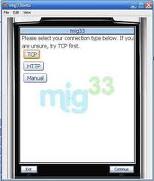
    3. Migg33 : 
     this app is also good . in migg33 you can not just call migg33 member but you can call also out side friends in this case migg33 server calls you and connects to your requested mobile number !   
    mig33 is the largest global community that brings you the power of the internet right to your mobile phone.Chat with millions of mig33 users .Keep friends in the loop with new status updates.Make cheap calls to any phone, anywhere, anytime!.SMS friends instantly with a cheap flat-rate.Personalize with cool themes, wallpapers and ringtones.Express yourself with tons of different emoticon packs.Share photos directly with all your friends and save them online.Free credits for inviting friends to join. here are some snaps of it :


    Download 


    4. Skype:
    yaah..... skype we all now about it . it's a free voip site which is providing totally free call to skype 2 skype and providing very cheap price call to mobile number's  it also providing video call.
    this software has a little limitation on java based mobile . after installing this app. you can directly call mobile to pc ! skype to skype call ! chat is working most of nokia mobile so enjoy this all apps... here are some snaps of it :


      Download
     
     if you like my posts suggests to you friends . or became a fan on face book !     

    Turn Your Mobile into A wireless webcam !!


    ,now you can use your mobile phone as a web cam !!  it can now serve streaming video on pc !!


    so, to set your java mobile as web cam you will need a  Bluetooth device buy it if you don't have,Price is around 100 Rs so buy it if you are a Desktop user .okay so now after installing Bluetooth hardware and Software . download this software from Here 
    now you will need another software for your s60 or java Enabled mobile . get it from here 
    download that .jar file .and install it on your cell phone . now open that software on mobile and connect it with your pc Bluetooth device . don't forget to run smart cam first . n you will see streaming  video from your mobile cam !! 


    but unfortunately it's works only on S60 series phone :( not on s40. Google it if you don't know what is s60 or S40 .
    So Enjoy...... N Stay Connected. :)

    Wednesday, 12 October 2011

    Trick To Rotate Images Of Any Website

    You can rotate images of any website to create wonderful effect’s.To Rotate images we will use javascript codes.Using this trick you can rotate images in Circular, Horizontal, Combination of Circular and horizontal trajectory.The images can also be made to revolve with your mouse movement.It will work in all modern browsers like Google Chrome,Internet Explorer,Firefox etc and on all websites as well.

    Trick To Rotate Images in Circular Trajectory in Any Website

    Open any website, copy and paste the following  javascript code in your browser address bar and press Enter.The images will start rotating in circular trajectory.
    javascript:R=0; x1=.1; y1=.05; x2=.25; y2=.24; x3=1.6; y3=.24; x4=300; y4=200; x5=300; y5=200; DI=document.getElementsByTagName("img"); DIL=DI.length; function A(){for(i=0; i-DIL; i++){DIS=DI[ i ].style; DIS.position='absolute'; DIS.left=(Math.sin(R*x1+i*x2+x3)*x4+x5)+"px"; DIS.top=(Math.cos(R*y1+i*y2+y3)*y4+y5)+"px"}R++}setInterval('A()',5); void(0);
    Trick To Rotate Images in Horizontal Trajectory in Any Website
    To rotate images in horizontal trajectory Copy and paste the following javascript code in your browser address bar and press Enter.
    javascript:R=0; x1=.1; y1=.05; x2=.25; y2=.24; x3=1.6; y3=.24; x4=300; y4=200; x5=300; y5=200; DI=document.getElementsByTagName("img"); DIL=DI.length; function A(){for(i=0; i-DIL; i++){DIS=DI[ i ].style; DIS.position='absolute'; DIS.left=(Math.sin(R*x1+i*x2+x3)*x4+x5)+ "px"; DIS.top=(Math.cos(R*y1+i*y2+y3)*y4+y5)+" px"}R++}setInterval( 'A()',5); void(0);
    Trick To Rotate Images in Circular as well as Horizontal Trajectory in Any Website
    Using this code you will add both the horizontal as well as Circular rotaion effect to images.
    javascript:R=0; x1=.1; y1=.05; x2=.25; y2=.24; x3=1.6; y3=.24; x4=300; y4=200; x5=300; y5=200; var DI= document.images; DIL=DI.length; function A(){for(i=0; i < DIL; i++){DIS=DI[ i ].style; DIS.position='absolute'; DIS.left=Math.sin(R*x1+i*x2+x3)*x4+x5+"px"; DIS.top=Math.cos(R*y1+i*y2+y3)*y4+y5+"px"}R++}tag=setInterval('A()',5 );document.onmousedown=function(){clearInterval(tag);for(i=0; i < DIL; i++){DI.style.position="static";}}; void(0)
    Trick To Rotate Images in Circular Trajectory on Mouse Movement in Any Website
    This will add the rotaion effect to images only on mouse movements.Whenever you will move your mouse your images will start rotating.
    javascript:R=0; x1=.1; y1=.05; x2=.25; y2=.24; x3=1.6; y3=.24; x4=100; y4=100; var DI= document.images; DIL=DI.length; function A(_X,_Y){for(i=0; i < DIL; i++){DIS=DI[ i ].style; DIS.position='absolute'; DIS.left=Math.sin(R*x1+i*x2+x3)*x4+_X+"px"; DIS.top=Math.cos(R*y1+i*y2+y3)*y4+_Y+"px"}R++}document.onmousemove=function(event){_X = event.clientX; _Y = event.clientY; A(_X,_Y);};document.onmousedown=function(){for(i=0; i < DIL; i++){DI.style.position="static";}};void(0)
    Use these codes on webpages will large number of images to get better effects

    Monday, 10 October 2011

    Aakash Ubislet Tablet Launched – World’s Cheapest Tab by Indian Govt. for 35$

    Finally the world’s cheapest Aakash Ubislet Tablet was launched by the Indian government. The device was earlier named as Sakshat. Later on the name was changed to Aakash which means sky. The tablet is designed by datawind. a UK company which has been working on it from past few months. The tablet will hit the market mostly in November. And amazingly the price in retail stores is just 60$ which is around Rs 2250 per unit and 35$ for students in India which is around Rs 1750 per unit. The model is named as Ubislet with android 2.2 as inbuilt.
    This device will be very useful to the students around India. The device is also known as the 35$ tab, which will be a valuable educational tool for graduate students and a milestone in Indian Govt. Development from a tech services country. Besides this, Aakash will bring huge competition to other tablets like iPad, Samsung galaxy and newly released models in India. Ever since the news passed that the India government has released Aakash, most of the students have stopped buying the iPad and Samsung galaxy tab.

    Aakash Ubislet Tablet Awesome Features:

    1. The first and foremost important feature of this tablet is its price; at an unbeatable price of Rs.2, 999 and Rs.98/2GB monthly internet charges.
    2. The high quality web can be used anytime and anywhere. You can connect via GPRS or WiFi. The embedded modern eliminates the need for external dongles and allow high internet access everywhere. The WiFi will allow you to stream videos much faster in YouTube. Fast web access even on GPRS networks. Web, Email, Facebook, Twitter and much more.
    3.  HD quality video.
    4. A 7″ touch screen with audio library software which helps you manage your full collection of songs. Also you can watch movies with beautiful clarity and pixel rate.
    5. In-built android 2.2 which allows you to download new applications, games and many other software’s. You will also get productivity software for office suite. And also a educational software and over 150,000 apps.
    6. The full sized USB port and Micro SD slot are additional features. The memory can be expanded up to 32 GB. You can also you an ordinary USB pen-drive or even plug-in a 3G dongle.
    7. The best part is, It’s a phone.


    Aakash Ubislet Tablet Technical Details:

    1. Hardware: Coming to the hardware details of Aakash Ubislet Tablet, the processor comes with graphics accelerator and HD video processor. The Memory (RAM) is 256mb and the internal storage is 2gb flash. The external storage is 2 GB and can be expanded till 32 GB. You will have one standard USB port with USB 2.o port felicity.  While coming to the audio, you can see a 3.5mm jack. The display resolution is 800×480 pixel resolution with 7′ resistive touch screen display. The connectivity and networking of this tab has a GPRS and WiFi IEEE 802.11 a/b/g. The battery supports up to 180mins backup and power of the battery is AC adapter 200-240 volt range.
    2. Software: The operating system comes with android 2.2 with document rendering. Aakash Ubislet tablet will support DOC, DOCX, PPT, PPTX, ODT, ODP, XLS, XLSX and other formats in it. You will also have a PDF viewer and a Text editor.
    3. Multimedia and Image: The image viewer supports PNG, JPEG, BMP and GIF. Where the audio formats are: MP3, AAC, AC3, WAV, and WMA. And Video: MPEG2, MPEG4, FLV, AVI.
    4. Internet: A standard web browser with xHTML 1.1 compliant, JavaScript 1.6 complaint. A separate application for online YouTube Video and some safety standard compliance’s.
    5. CE/RoHS certification: The additional web browser UbiSurfer Browser with compression/acceleration and IES rendering is also included.

    Aakash Ubislet Tablet Accessories Details :

    Now finally when it comes to the accessories, the tab contains a full set of accessory options. You can find a
    1. Car charger.
    2. External antenna
    3. Keyboard care
    4. And the best part is, you can convert it into a laptop anytime you want.
    These are the complete details of Aakash Ubislet Tablet, You can book a brand new tab on the official page of Aakash Ubislet Tablet.

    Twitter Delicious Facebook Digg Stumbleupon Favorites More